19/10/2026 11:07
From Telegram Post to Print Quote: Business Chat Links for Cambodian Print Shops

A photograph of attractive takeaway cup labels can start a conversation, but “How much?” rarely gives a print shop enough information to quote accurately. Staff still need to understand the dimensions, quantity, intended use and deadline. For Cambodian businesses promoting custom printing through Telegram, a useful next step is to make that first enquiry easier to write. This guide explains how to connect a specific product post to a suggested message through Telegram Business chat links, then turn the incoming request into a checked brief. It also explains why SMM panel activity cannot establish whether that enquiry process works.
1. Choose one printing question to solve
Start with a product that repeatedly produces incomplete enquiries. In a hypothetical Phnom Penh print shop, café owners ask about labels for takeaway cups. The shop receives photographs and short price questions, but the person answering cannot tell whether the customer needs small decorative stickers or labels exposed to condensation. That uncertainty affects the questions staff must ask before preparing a quote.
Make the first workflow about cup labels alone. Decide what a useful initial request should contain: approximate size, quantity, required date and whether artwork exists. Leave specialist material choices for the conversation. Customers should not need printing knowledge before contacting you. The objective is a request that a staff member can assess, with an easy way for someone to say they are unsure.
2. Understand what a Business chat link does
Telegram’s official Business introduction describes links that open a chat with a business and place a suggested message in the message field. These links can be used inside or outside Telegram, and each link has a tap count. The documentation points to Settings > Telegram Business; check the options and subscription requirements shown in your current app before planning around them.
Treat the suggested message as an invitation to explain a need. Opening the conversation does not establish that the customer sent the draft, accepted a quote or reserved production time. Your wording should preserve that distinction. For this workflow, choose a request such as “Ask about cup labels” rather than language suggesting an order is complete. If Business chat links are unavailable to your account, publish the same questions beside your usual contact details as a manual alternative.
3. Write a draft that customers can comfortably complete
A hypothetical English draft could read: “Hello, I would like a quote for takeaway cup labels. Approximate size: __. Quantity: __. Needed by: __. Artwork ready or help needed: __. I am unsure about: __.” This gives the conversation a shape without guessing specifications. Keep the wording short enough to understand on a phone and avoid inserting a quantity that someone might accidentally send unchanged.
For Khmer-speaking customers, prepare a naturally written Khmer equivalent and have someone familiar with the shop’s vocabulary review it. Keep the questions consistent across language versions. Specify the measurement unit when asking about size, and request a written month where a numeric date might be misunderstood. Allow “not sure” for technical details. A customer who can describe the cup and intended use may still be a suitable customer even without a finished specification.
4. Make the promotional post explain the next step
The public post should show the relevant product and explain what the chat is for. In the hypothetical campaign, photograph an actual sample label on a cup, identify it as a sample and explain that quotations depend on the requested specification. Add a direct invitation to send approximate size, quantity and deadline using the enquiry link. Avoid presenting an illustrative sample as work completed for a named customer unless that context is accurate and authorized.
Remove competing instructions that send people to several different conversations. A cup-label post should lead to a cup-label enquiry, with a recognizable business identity at the destination. If the photograph shows a special finish, explain whether that finish is actually available. Clear expectations reduce the chance that the first exchange is spent correcting assumptions created by the promotion.
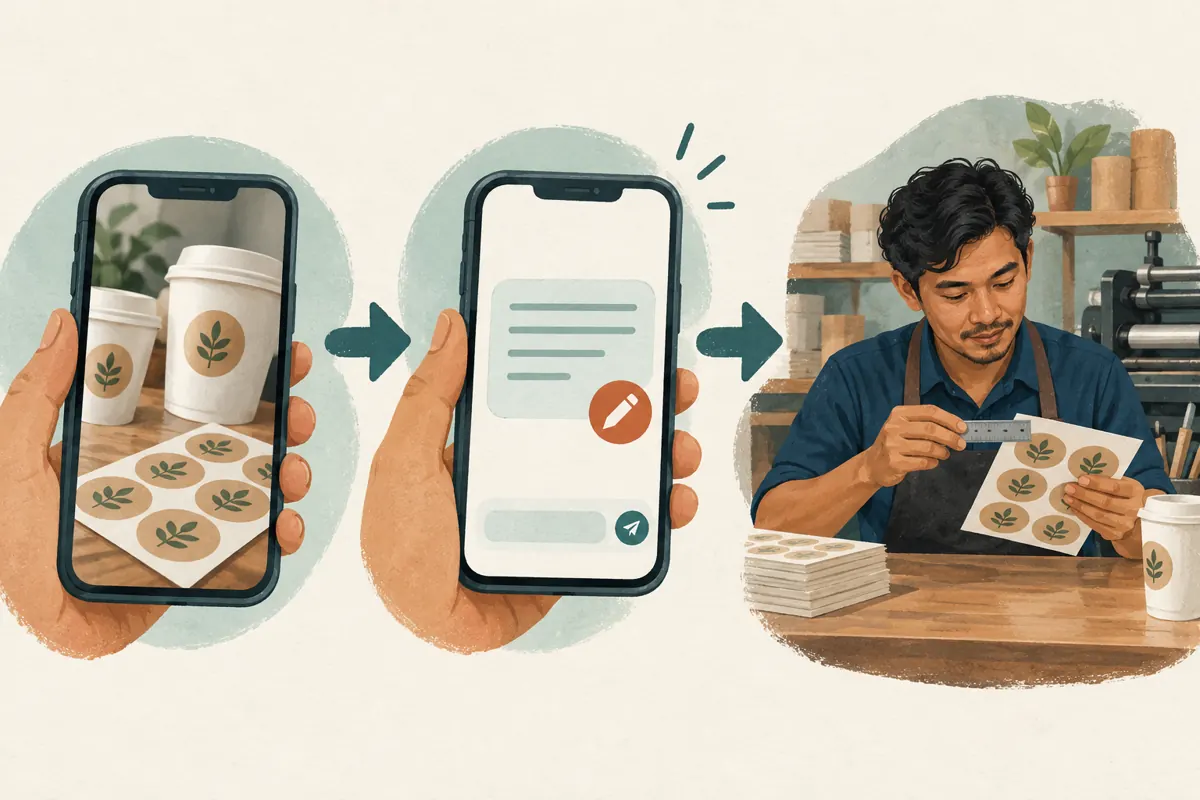
5. Create and test the complete customer journey
Within the Business settings available to your account, create the chat link and enter the approved suggested message. Copy the generated link into a private draft of the promotional post. Keep a simple internal record containing the product, link, draft wording, intended placement and review date. This makes it easier to find the right link when the shop later introduces another product.
Ask a colleague to test the link from a separate account before distribution. Check that it reaches the intended business, displays the expected draft and leaves the message understandable on a small screen. Send a clearly identified test enquiry and confirm that the person responsible receives it. Also test the link from the actual placement you intend to use. Record when staff testing occurred so those taps do not become customer evidence in a later review.
6. Decide what happens after the message arrives
Assign someone to assess incoming requests during the hours the shop can realistically cover. Their first job is to identify missing information, rather than immediately promise a price or completion date. In the hypothetical cup-label enquiry, the customer provides dimensions and quantity but does not mention that the cups hold cold drinks. Staff should ask about use conditions before recommending a material.
Use a short internal sequence: understand the application, confirm dimensions and quantity, assess artwork, then check the requested date against production capacity. Summarize the proposed specification back to the customer before quoting. Separate a preliminary estimate from a confirmed quotation when details remain unresolved. A helpful first reply might explain which information is missing and why it matters, so the customer understands the purpose of the follow-up.
7. Keep public links free of private order information
Write reusable suggested messages using product questions only. Do not include a previous customer’s phone number, delivery address, order reference or artwork link in a public enquiry template. A link intended for broad distribution should remain suitable when someone forwards the post beyond the audience you originally expected. Review copied drafts carefully, especially when adapting wording from a real conversation.
Ask for files and delivery details only when they become necessary to assess or fulfill the request. For example, a customer can initially describe whether artwork is ready without sending every business document they possess. When staff need a design file, explain which file is relevant. Avoid asking customers to post artwork or contact details publicly as a condition of receiving an answer. Keep the enquiry focused on the printing job.

8. Give SMM panel services a separate decision
The supplied lao-smm.com catalogue includes the exact listing “Telegram 🔥 Reaction + 𝗙𝗿𝗲𝗲 𝗩𝗶𝗲𝘄”. Its title identifies a reaction-and-view offering, but the supplied description is empty. It does not establish the audience’s location, genuine buying interest, compatibility with a Business chat link or any ability to generate completed quote requests. Do not treat a catalogue label as evidence that a service supports this workflow.
Before considering any panel purchase, ask what business problem it would solve. Missing dimensions, unclear deadlines and unanswered messages require changes to the enquiry process. Purchased engagement is not evidence of genuine interest, sales, ad delivery or Cambodian users. Never submit a Business chat link to a service merely because both involve Telegram; obtain documented input requirements first. Keep any service delivery record separate from the shop’s enquiry and sales records, and do not present purchased activity as customer endorsement.
9. Review taps, enquiries and orders separately
Use three distinct observations: link taps, received requests and confirmed orders. Telegram documents a tap count for Business chat links, but that count alone does not establish unique prospects or purchases. A received request gives you something different to assess: whether a person supplied enough information for staff to continue. A confirmed order requires the shop’s own acceptance process and supporting record.
For a hypothetical review, examine the wording of incoming enquiries rather than inventing a conversion target. Are customers leaving the size blank? Are they confusing the artwork deadline with the collection date? Record these recurring issues and revise the prompt accordingly. If you use separate links for different placements, treat placement labels as context rather than perfect attribution: links can be copied, and customers can contact you through another route.
10. Fix friction before expanding promotion
Common mistakes include turning the suggested message into a long questionnaire, using unfamiliar material names and asking for information staff will request again anyway. Another mistake is promising an immediate quotation when artwork or production capacity needs review. Replace these obstacles with short questions and a realistic explanation of the next step. Keep additional technical questions available for staff to ask when relevant.
Change one meaningful part of the workflow at a time. If customers regularly omit dimensions, improve that question and show how to measure the label area in the product post. If complete requests sit unanswered, address staffing before increasing distribution. If customers expect a booking after sending the draft, strengthen the explanation that staff must confirm the specification and schedule. The useful improvement is a clearer conversation, not a busier counter.

Frequently asked questions
Should every printing product have its own chat link?
Create a separate link when the initial questions meaningfully differ. Cup labels and large banners may require different information. Several similar label designs can share one enquiry link if customers can identify their preferred design clearly. Start with a manageable set and keep an internal list so staff can check which wording each link introduces.
What if customers send the suggested message without filling it in?
Treat it as an incomplete enquiry and ask the most useful missing question first. Do not reject it automatically. If this happens repeatedly, shorten the draft and remove questions that can wait. The purpose is to help people start a useful conversation, so the workflow should still accommodate someone who needs guidance.
Can a link tap be counted as a Cambodian sales lead?
A tap alone cannot establish location, identity or buying intent. Count it as a recorded interaction with the link. Assess an enquiry using the message actually received, and ask about fulfillment location when relevant. Keep staff tests identifiable in your notes and avoid describing a tap total as a count of prospective customers.
Should the suggested message include an advertised price?
Include a price only when it genuinely applies to a clearly defined offer and the shop can keep the wording current. For custom work, specification questions are usually more useful than an isolated price. Explain the basis of the eventual quotation, including what requires confirmation, so a draft message does not create an accidental promise.
Can an SMM service replace this enquiry setup?
A reaction or view service does not perform the shop’s specification review, answer technical questions or confirm production capacity. The supplied catalogue information does not establish a quote-generation service. Improve the product explanation and response process first. Evaluate any separate service against documented terms without treating delivered engagement as proof that customers understood or wanted the offer.
Explore the current service catalogue, create an account, or ask a specific question through support tickets.
- Telegram: Introducing Telegram Business — Links to Chat
- Telegram: Introducing Telegram Business — Features and Settings
Prepared with AI assistance. Illustrations explain the workflow and do not represent customer results.