20/10/2026 16:39
What Should Buyers Send First? Telegram Business Start Pages for Cambodian Shoe-Rack Workshops

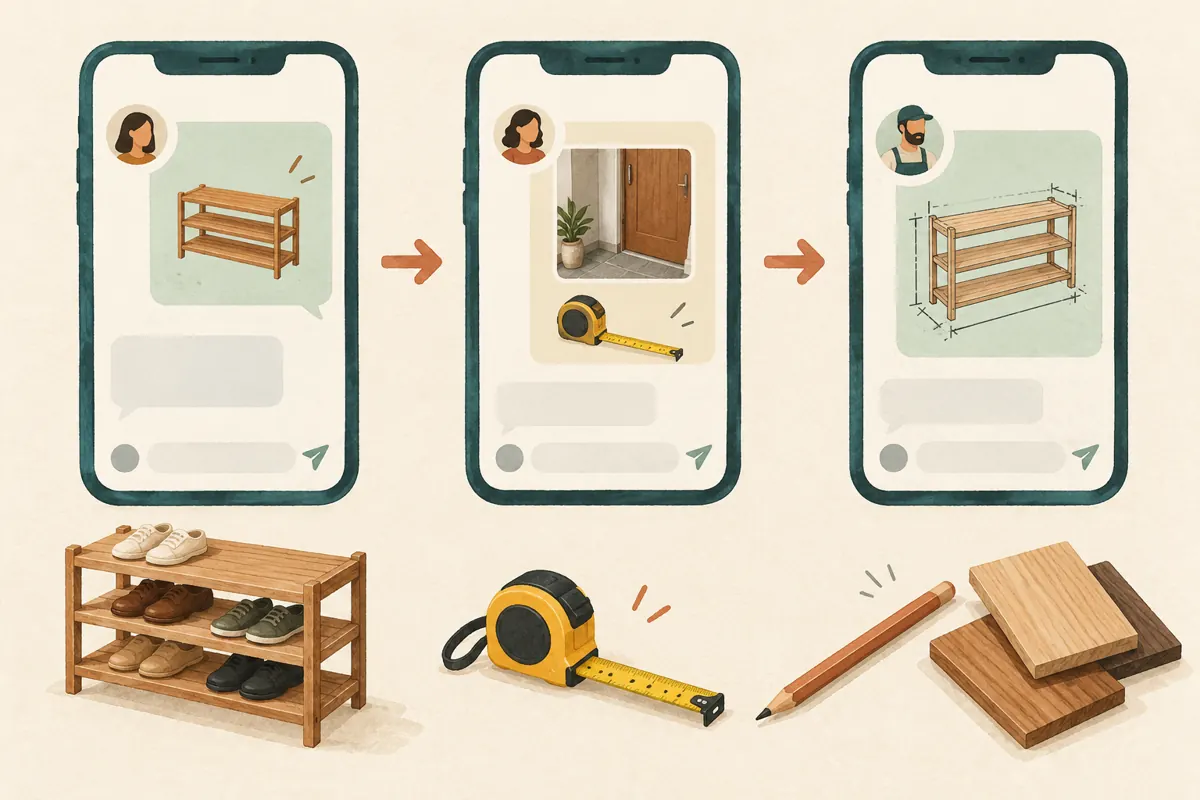
A customer sees a custom shoe rack in a social post, opens the workshop’s Telegram chat, and hesitates. Should they send a picture, ask for a price, or measure their doorway first? A useful introduction can make that first message easier. For Cambodian workshops promoting made-to-order furniture, the aim is to collect enough context to begin a helpful conversation without presenting a long application form. This guide explains how to plan, configure and test a Telegram Business start page around that task. It also separates this account feature from similarly named SMM services, so promotional spending does not become a substitute for a clear customer experience.
1. Identify the hesitation before writing the welcome
Start with the question that regularly delays your first reply. For a shoe-rack workshop, it might be whether the customer wants a ready-made item or a rack built for a particular space. Those enquiries require different follow-up questions. A generic welcome says little about either route, while a detailed quotation questionnaire may discourage someone who is still exploring.
In a hypothetical Phnom Penh workshop, customers often send a product photo followed by “How much?” Staff cannot tell whether the buyer wants that exact model or something narrower. The useful opening instruction is therefore about the model and available space. Before editing anything, review a small selection of recent enquiries you are entitled to access. Note the missing information without copying customer names or private photographs into your planning document.
2. Understand where the start page appears
Telegram’s official Business announcement describes the start page as customizable text and a sticker shown in empty chats before a conversation begins. Its technical documentation describes the introduction as appearing to new users who do not have a private chat with the business. Treat it as an introduction at the entrance to the conversation.
An automated greeting has a different role: Telegram describes it as a message sent when someone contacts the business, with settings for subsequent greetings after inactivity. Plan the two pieces together, but give each a separate job. The start page can explain what to send; a greeting can acknowledge the enquiry and explain the next step.
Because the introduction serves that initial encounter, avoid relying on it for information every customer must receive. Existing customers also need clear quotation terms, collection arrangements and order confirmations within their actual conversations.
3. Ask for the smallest useful starting point
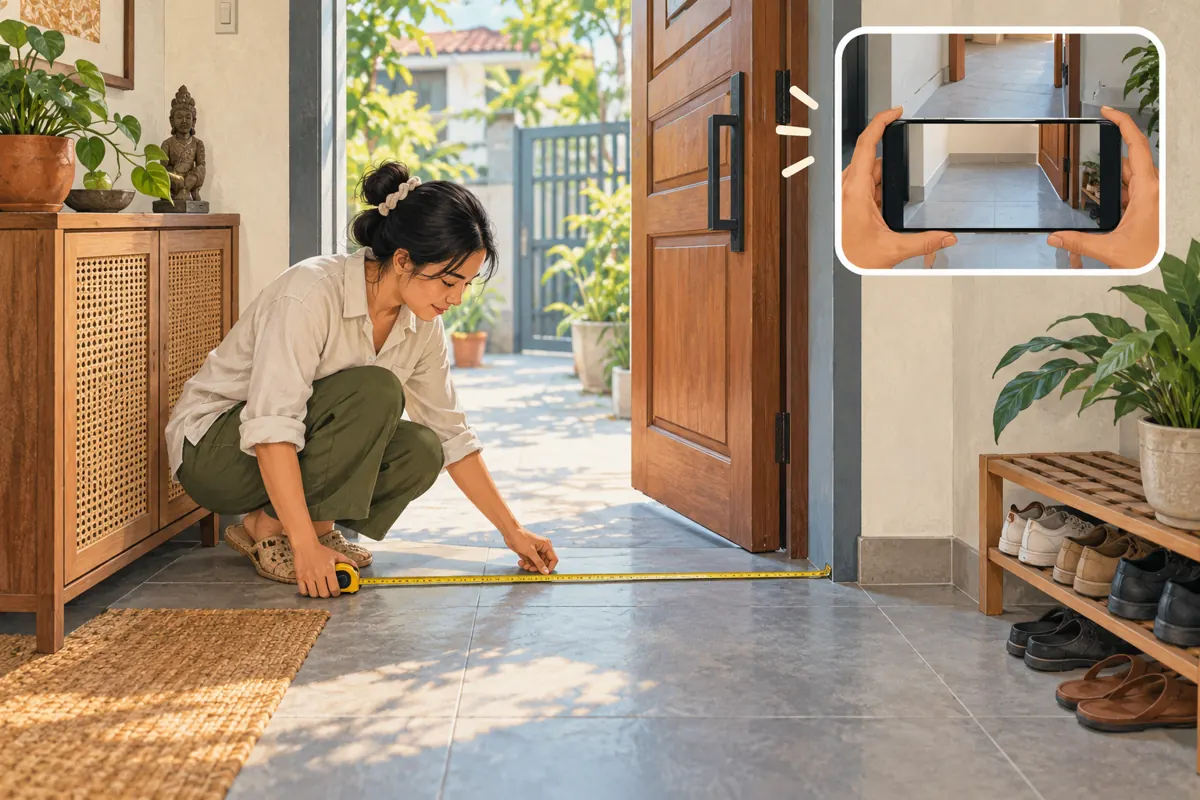
Choose one main action and, at most, a closely related detail. For custom furniture, a sensible starting request is the preferred design plus the approximate space available. Ask for units whenever requesting a measurement. A number without “cm” or another clear unit creates more work rather than resolving uncertainty.
Do not require finished specifications from someone who needs advice. A customer may know that shoes are blocking a doorway but have no idea how many shelves would fit. Allow an alternative: they can explain the problem or send a relevant photo if they cannot measure yet. Staff can then guide the next step.
Keep delivery addresses, payment details and final material choices out of this initial request. Those details belong later, when there is a reason to collect them. For an early feasibility discussion, a general delivery area may be sufficient if location affects what the workshop can offer.
4. Draft a compact introduction with an honest promise
A hypothetical English draft might use the title “Planning a shoe rack?” and the description “Send your preferred design and the space width in cm. Not measured yet? Tell us where the rack will go.” This is suggested copy, not a statement that a particular workshop provides custom work. Adapt it to the services the business actually offers.
The promise should concern the next conversation, not an outcome you cannot confirm. “We can discuss suitable options” is more defensible than “We will make any size” when materials, construction and delivery still need checking. Similarly, do not imply that sending a photo reserves stock or secures a production slot.
If most customers communicate in Khmer, have a fluent staff member prepare the equivalent wording and check that it sounds natural. Keep the request equally easy in each language. Avoid squeezing multiple full translations into a small introduction when one clear primary language better serves the intended audience.
5. Configure the introduction and simplify the artwork
Telegram’s documentation currently states that Business features are included for Premium subscribers. Check the account’s available options before planning around the feature. Telegram identifies Settings > Telegram Business as the place to find its business tools. Locate the start-page or introduction option in the installed client, enter the approved copy, review it and save.
The documented introduction contains a title, description and optional sticker. Respect the limits shown by the app instead of designing around an assumed character allowance. If your draft does not fit comfortably, remove a secondary request rather than abbreviating important words until the instruction becomes difficult to understand.
Choose simple artwork that supports recognition, such as an appropriate shoe-rack illustration the business has permission to use. Do not put essential instructions inside the artwork. A decorative sticker should not force the customer to decode a tiny price list, read lettering on shelves, or infer which product is currently available.
6. Test the experience before sending promotional traffic
Arrange a test with a colleague using an account that has not previously chatted with the business. Let them open the same public contact route a prospective customer would use. Ask them to describe what they think the workshop wants them to send. Their interpretation is more useful than simply asking whether the page looks attractive.
Use a specific hypothetical task: “You want a rack for a narrow entrance but have not measured it.” Check whether the tester understands that an enquiry is still welcome. Then try a second task involving a known design and an approximate measurement. Neither task should require the tester to guess whether the message creates an order.
Also review the ordinary experience of a returning customer. Do not delete genuine business conversations to manufacture a clean test. Keep the test focused on readability, clarity and the next action; it cannot establish that the introduction will improve sales.
7. Connect the social post to a workable staff reply
The social post should prepare people for the same conversation. If a demonstration shows a narrow wooden rack, explain whether it is an example of custom work or an available item. Invite viewers to discuss their space only when staff can handle that enquiry. Avoid presenting an example as universally suitable for every entrance.
Prepare the first human reply alongside the introduction. In a hypothetical exchange, the buyer sends a design photo and says the available width is approximately 80 cm. Staff should confirm whether that is the clear usable space, then ask about depth or door movement as needed. An approximate measurement begins a discussion; it is not a production specification.
When requesting photographs, explain the useful framing: the intended location and nearby obstructions. Encourage customers to leave unrelated people, documents and address labels out of the image. Ask for additional details only when they help resolve the actual furniture question.
8. Keep SMM service names separate from account features
The supplied lao-smm.com catalogue includes the exact service name “Telegram Bot Start ~ Max 1M ~ 50k/Days ~ INSTANT”. Its title refers to a bot-start service. The supplied description is empty, so it provides no supported explanation of delivery mechanics, audience composition or account configuration. The numerical and speed wording is catalogue labeling, not a verified forecast for this article.
A Telegram Business start page is a different concept. Nothing in that supplied listing establishes that buying the service creates an introduction, edits business settings or brings prospective Cambodian furniture customers. If your task is to configure the welcome experience, complete it through the account’s available Business settings.
Before considering any panel purchase, require a clear description of the actual service and check its suitability and platform rules. Purchased engagement is not evidence of genuine interest, sales, official ad delivery or Cambodian users. If a listing cannot explain how it relates to your objective, leaving it unordered is a sensible decision.
9. Review enquiry quality without claiming attribution
After introducing the new wording, keep a modest operational review. Record whether incoming enquiries identify a design, explain the intended space, include measurement units, or require clarification of the initial request. Use anonymous categories rather than retaining unnecessary personal information. These observations can show where the wording remains confusing.
For example, if customers send widths but staff repeatedly have to ask what was measured, revise the instruction or the follow-up guidance. If customers apologize for not having measurements, make the alternative route more welcoming. Those are concrete editing decisions based on the conversations you actually receive.
Do not describe every later order as a start-page conversion. The customer may have seen several posts, received a recommendation or contacted the workshop before. Changes in stock, seasonal demand and staff response times can also affect enquiries. Keep any SMM order records separate from the evidence used to evaluate customer understanding.
10. Avoid turning the introduction into another obstacle
A common mistake is asking for everything at once: dimensions, wood species, finish, shelf count, delivery address, budget and deadline. Even when those details eventually matter, requesting them before the first message makes the opening feel demanding. Begin with information that determines the next useful question.
Another mistake is filling the introduction with temporary offers. Prices, stock and delivery arrangements may change more often than someone remembers to edit the welcome. Prefer stable instructions and provide current commercial details during the enquiry. Assign one staff member to review the introduction whenever the workshop changes its main offering.
Finally, do not make customers repeat information merely because it arrives in an unexpected format. If someone sends a voice message explaining their space, respond to what they have already provided and ask only for what is missing. The introduction should support a conversation, not become a rigid gatekeeping rule.

Frequently asked questions
Should the start page contain the full quotation questionnaire?
Usually no. Ask for enough information to identify the enquiry and begin helping. A complete questionnaire may be useful later for a complex custom order, but the first-contact instruction should accommodate customers who do not yet understand furniture specifications. Staff can gather the remaining details in a sensible sequence.
What if the customer sends only “Hello”?
Reply politely and offer the same simple starting point. Do not assume they ignored an instruction or saw the introduction at all. For example, ask whether they have a preferred rack design or want help choosing one for their space. The welcome supports staff; it does not replace their judgment.
Can the workshop use the introduction without a bot?
Yes. Telegram documents the Business introduction as an account feature and describes chatbot connections separately. You do not need to treat a bot-start purchase as part of configuring this introduction. Check the account’s Business access and available settings before committing time or spending to the setup.
Should a customer’s first measurement be used to start production?
No. Treat it as preliminary information unless the workshop has separately verified and agreed the final specification. Clarify units, usable space, depth, door movement and the intended design through your normal quotation process. Make production approval explicit so an informal enquiry cannot be mistaken for authorization to build.
How can a small workshop decide whether the wording needs revision?
Look for repeated misunderstandings rather than chasing a numerical target. If several conversations reveal the same ambiguity, change that part of the wording and test comprehension again. Keep the previous version and revision date in a simple editorial note so staff know which introduction they are reviewing.
Explore the current service catalogue, create an account, or ask a specific question through support tickets.
- Telegram — Introducing Telegram Business
- Telegram API — Telegram Business
- Telegram API — Business Introduction Fields
Prepared with AI assistance. Illustrations explain the workflow and do not represent customer results.