20/10/2026 03:26
Can Buyers Read the Scale? Steady YouTube Demonstrations for Cambodian Kitchen-Equipment Shops
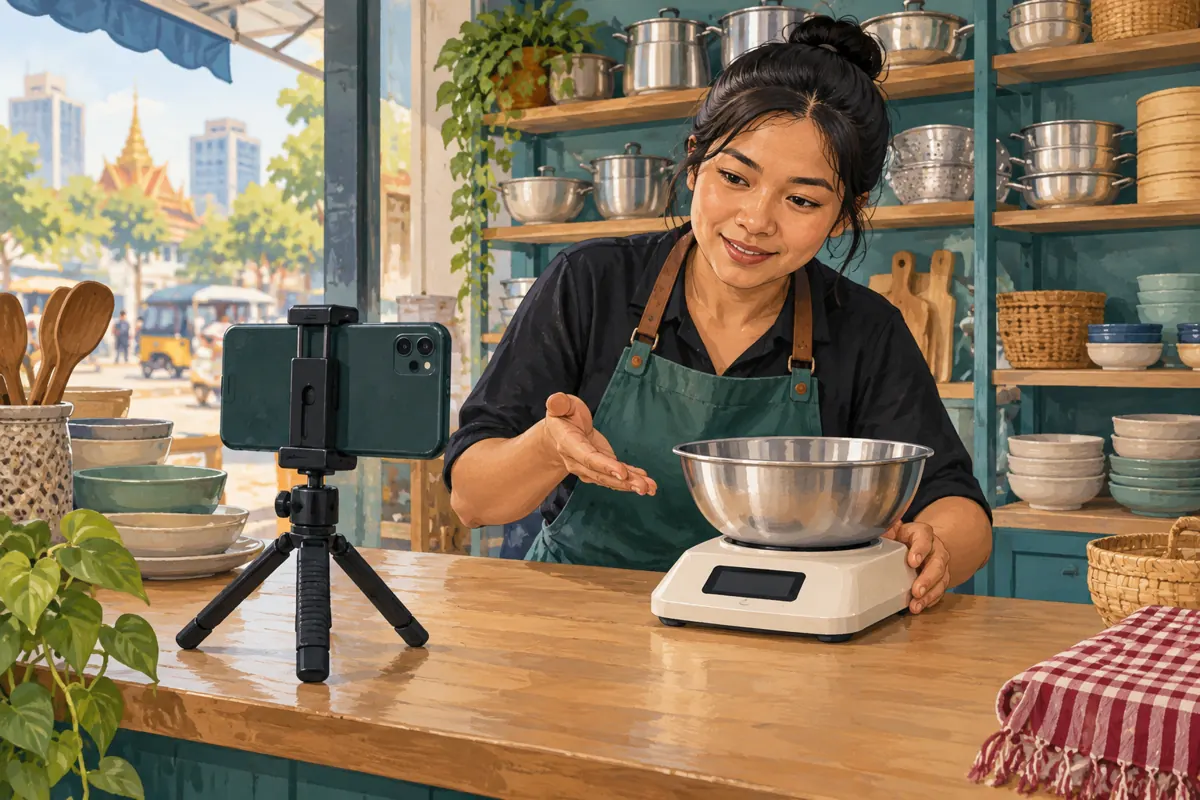
A kitchen-scale demonstration can look attractive while leaving the buyer’s main question unanswered: what happened on the display? When the camera shakes, a bowl hides the screen or an edit skips the button press, viewers must guess how the product works. For Cambodian kitchen-equipment shops serving home cooks, cafés and small bakeries, a useful YouTube video should make that sequence easy to follow. This workflow starts with a stable camera and one practical question, then follows the demonstration through playback review and promotion decisions. It also explains why an SMM panel’s delivery record cannot establish that viewers understood the scale or wanted to buy it.
1. Choose one buying question the camera can answer
Begin with a question that requires visible action. For this article, use: can the customer weigh an ingredient without including the bowl’s weight? That gives the demonstration a clear purpose. Showing packaging, accessories and several unrelated features first delays the answer and makes the filming more complicated.
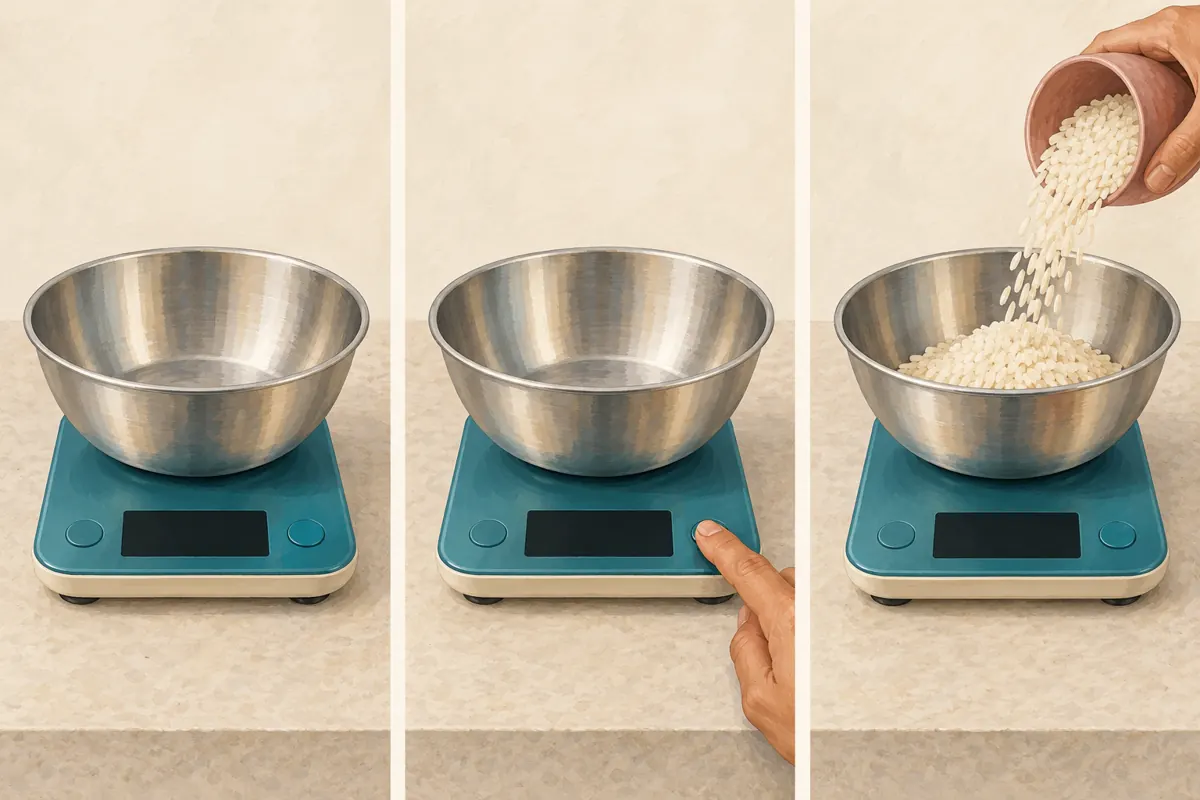
In a hypothetical Phnom Penh kitchen-equipment shop, staff want to explain a scale to a small bakery owner. They choose one bowl and dry rice as demonstration materials. Their brief says that viewers should see the bowl placed, the tare control pressed and the ingredient added. This is an illustrative scenario, not a customer testimonial or a claim about sales.
2. Separate an operating demonstration from an accuracy test
Explain what the recording establishes. A tare demonstration shows the operating sequence on the particular unit being filmed. It does not establish laboratory accuracy, long-term reliability or suitability for every commercial task. Read the manufacturer’s instructions for that model before choosing the container, load and controls.
Keep capacity, display increments and accuracy separate in your script. A display changing in small increments does not, by itself, prove equivalent accuracy. If you mention specifications, use verified documentation for the exact model. Avoid treating a bag of rice with a printed package weight as a calibrated reference. The article’s illustrations explain filming steps; their blank displays are not measurement evidence.
3. Stabilize the camera before trying to repair the footage
Place the scale on a firm, level surface appropriate to its instructions. Secure the phone on a stable support and check that operating the scale does not shake the camera. A lightweight table may transmit movement when someone leans against it. If that happens, change the support arrangement before recording the full demonstration.
Frame the bowl, control and display together. Try the actual hand movement while watching the phone preview: fingers often cover the screen just when the reading matters. Adjust the camera position until the demonstrator can press the control and withdraw naturally. Keep the demonstration area clear so nobody needs to reach across the lens for ingredients.
If your camera app offers stabilization, compare a short sample with the feature enabled and disabled. Check the resulting framing and readability rather than assuming the setting will rescue the shot. A firmly supported recording is easier to review because the important objects remain in predictable positions.
4. Solve reflections and focus with a short rehearsal
Record a rehearsal with the bowl in place. Metal surfaces and glossy displays can reflect windows or overhead lights. Move the light or camera slightly and compare the result. Choose an angle that keeps the display readable while still showing that the bowl rests on the scale. Avoid tilting the scale merely to improve its appearance.
Watch for focus shifting between the demonstrator’s hand and the display. If your camera app provides focus controls, test them using the complete movement. Otherwise, simplify the background and keep the working distance consistent. Review the recorded sample, because a preview can conceal problems that become obvious during playback. Retake the sample if digits flicker, disappear in glare or become indistinct.
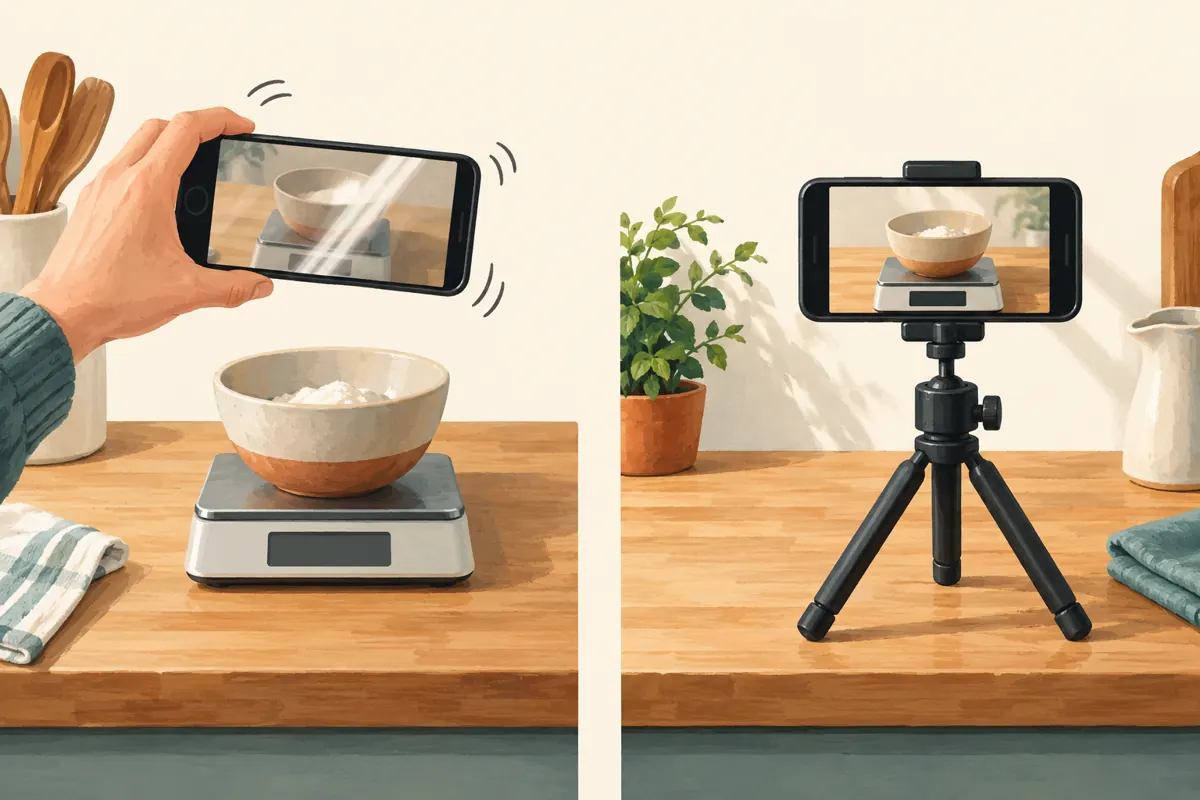
5. Record the tare sequence as a continuous explanation
Follow the model’s instructions and show the starting condition. Place the empty bowl on the scale, let the reading settle as appropriate, press the tare control and show the resulting display. Then add the ingredient and hold the final view long enough for someone unfamiliar with the product to understand it. Keep hands clear of the bowl when presenting the reading.
Describe each action when it happens. For a Khmer-speaking audience, use clear Khmer narration and review any captions with someone who understands the product. If the physical button has an English label, identify that label accurately so the viewer can find it on the unit. Avoid translating a control into a different function.
Preserve continuity across the important steps. An attractive cut between placing the bowl and showing zero can conceal the very operation the video promises to teach. If you need a closer view, record a clearly introduced repeat of the sequence. Do not present readings from separate takes as one uninterrupted measurement.
6. Edit for comprehension on a small screen
Remove waiting time that contributes nothing, but retain the moments that establish cause and effect. A viewer needs to connect the button press with the display change. Keep captions away from the reading and controls. Decorative arrows, large prices and animated logos can make an otherwise clear close-up difficult to inspect.
Use a short spoken explanation to support the visible action. Reading the displayed value aloud can help, provided the narration matches the recording exactly. If you discover a mismatch, correct the edit or record the explanation again. Do not draw replacement digits over an unreadable display and present them as if they were captured from the scale.
7. Distinguish upload processing from a filming problem
YouTube explains that uploads are initially processed at lower quality, with higher-quality versions becoming available later. Before judging the uploaded demonstration, open its watch page and check the player’s Settings and Quality options. An immediately available low-quality version may not represent the finished upload. The official source is YouTube Help’s Low video quality after upload page.
Once the expected quality is available, compare the crucial sequence with your exported file. If both versions hide the display behind a hand, waiting will not solve the problem. If the exported file is clear but playback looks soft, examine playback quality and viewing conditions. This distinction prevents unnecessary reshoots while still catching problems that require new footage.
8. Ask a colleague to explain what happened
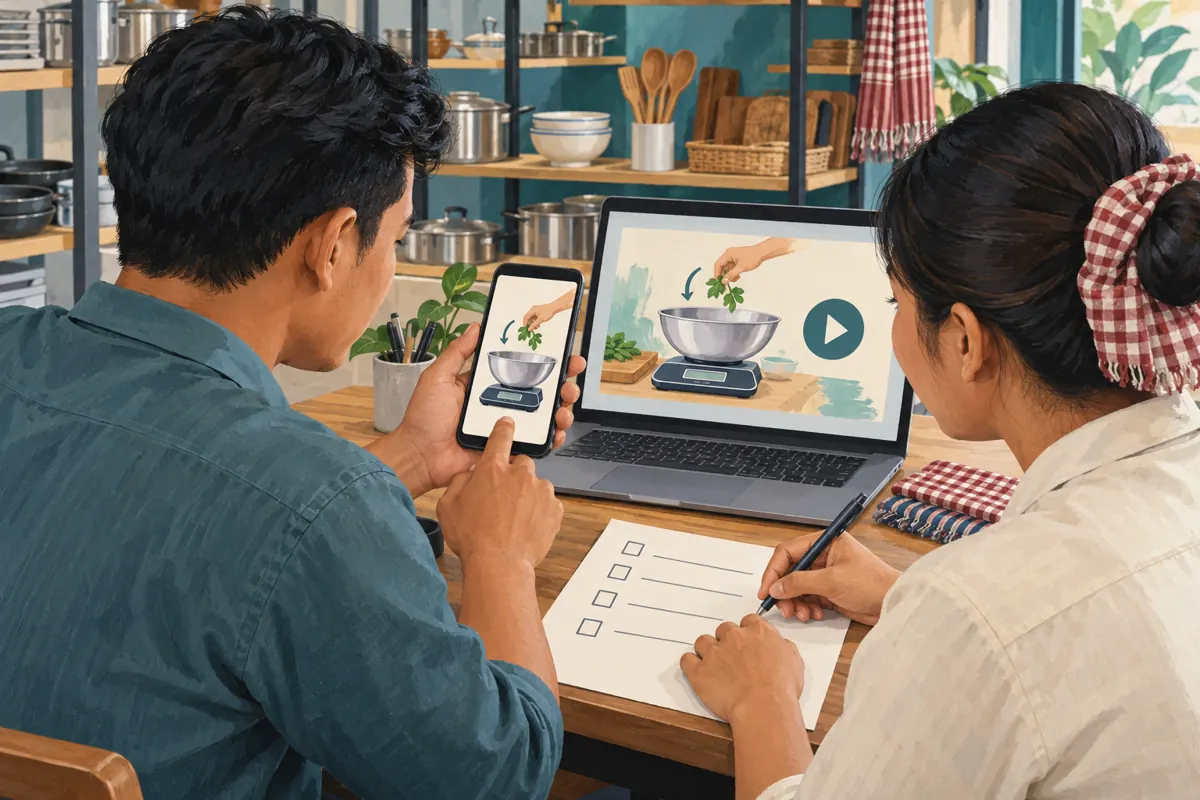
Give someone who did not film the video one viewing on a phone. Ask which control removed the bowl’s weight, what remained on the platform and what the final reading represented. Avoid prompting them with the correct answer. Their explanation reveals whether the sequence communicates its purpose more clearly than a general question such as whether the video looks good.
YouTube says streaming quality can change with viewing conditions, including connection speed and screen size. Test the demonstration at an ordinary phone viewing size and a lower available quality as well as the preferred setting. This is a practical resilience check, not a claim about internet access across Cambodia. If the action becomes ambiguous, enlarge the important area or simplify the shot.
9. Give interested viewers a specific next step
Use a title that describes the actual demonstration, such as a bowl-tare walkthrough for the exact model. In the description, identify the model, explain the limited purpose of the demonstration and provide a current contact route. Ask prospective buyers to mention their usual container and intended weighing task so staff can answer a relevant question.
For a Cambodian shop handling both local collection and delivery enquiries, separate those practical arrangements from product claims. Confirm current availability when answering the customer. A clear demonstration can support a useful conversation, but it does not establish that every viewer needs the product or that every enquiry will become an order.
10. Review SMM services against the actual objective
The supplied public catalogue includes the exact title “YouTube - Auto Views [RAV-MTS™ - High Monetization Views] + Engagements”. Its wording presents it as a views-and-engagements offering, but the supplied description is empty. The title does not establish its delivery method, monetization eligibility, viewer location or whether anyone intentionally watches the demonstration.
YouTube’s Fake engagement policy prohibits artificial increases in engagement metrics and states that a hired promoter’s actions can affect the channel. Before considering a provider, require a clear explanation of its methods and compare them with that policy. Reject artificial engagement. Do not put promotional links to metric-inflation services in the video or description.
For this campaign, purchased engagement would not prove genuine interest, sales, advertising delivery or Cambodian viewers. If the method is undocumented, leave the service out of the plan. Direct effort toward a readable demonstration, accurate product information and relevant distribution. No engagement count can compensate for a hidden tare step or an unsupported accuracy claim.
11. Use actual questions to decide the next improvement
Keep a brief record of questions that arrive after sharing the video. Distinguish operating confusion from product suitability: asking where the tare button is suggests an explanation problem, while asking whether a particular container fits may require another demonstration. Record what was asked without inventing motives or assuming the person watched the whole video.
Common mistakes include changing the camera angle between critical steps, covering the display with captions and calling a demonstration an accuracy test. Another is attributing every later enquiry to promotion. Ask customers how they found the shop when appropriate, and retain uncertainty when the answer is unknown. Choose the next video from unresolved practical questions rather than from a desire to increase a public counter.
Frequently asked questions
Do we need an expensive camera for this demonstration?
Start by testing the phone you already have. The important question is whether its recording clearly shows the control, display and action together. A stable support, suitable lighting and careful framing may resolve the problem. Consider different equipment only after identifying a limitation that your existing setup cannot address.
Should we add a close-up after the full demonstration?
Yes, when it answers a remaining question. Introduce it as a closer repeat and preserve the operating sequence. Avoid cutting directly from one take’s button press to another take’s reading. Viewers should understand which actions belong together and whether they are watching the same measurement.
What if the scale looks clear in person but its display flickers on camera?
Test a different recording setting, lighting arrangement or camera before filming again, changing one variable at a time. Inspect the saved sample rather than relying on the preview. If you cannot record a readable display, explain that limitation and choose another demonstration format instead of manufacturing a digital readout in the edit.
Can we describe the scale as accurate after showing the tare function?
The tare sequence alone does not support that conclusion. It shows how the demonstrated unit handles the container’s weight during that operation. Use verified model documentation for specifications, and keep any properly designed accuracy testing separate from the basic operating tutorial. State only what your evidence establishes.
How should we judge whether promotion helped?
Look for documented outcomes relevant to the purpose: fewer repeated operating questions, enquiries that name the model or customers who say the demonstration helped them understand tare. These are observations to investigate, not guaranteed effects. Keep service delivery records separate, and do not convert purchased views or engagement into claims about local demand.
Explore the current service catalogue, create an account, or ask a specific question through support tickets.
- YouTube Help: Low video quality after upload
- YouTube Help: Change the quality of your video
- YouTube Help: Fake engagement policy
Prepared with AI assistance. Illustrations explain the workflow and do not represent customer results.